Set the request header in the Leaflet tile layer URL (using the RapidAPI map endpoint).



We recently released MapFan API on RapidAPI, an API marketplace provided by R Software in the United States.
RapidAPI is one of the world's largest API marketplaces, with over 3 million developers accessing more than 30,000 APIs.
All APIs provided by RapidAPI require the setting of specific request headers, and this is also true when using the 'MapFan API: map endpoint' provided for open-source map libraries such as Leaflet. This time, we will explain how to handle this.
How to set request headers for Leaflet tile layer URLs
With RapidAPI, you need to add the following header to all requests.
• X-RapidAPI-Host: The domain of the API exposed on RapidAPI.
• X-RapidAPI-Key: An API key assigned to each application of a RapidAPI user.
To specify request headers in the tile layer URL in Leaflet, use the leaflet-wms-header plugin.
It is also distributed via
CDN, so this article will use that method.
Set request headers using the leaflet-wms-header plugin.
Now, we will use the leaflet-wms-header plugin to display a MapFan API map via RapidAPI.
First, add the leaflet-wms-header plugin to the HTML template prepared in this article.
<!DOCTYPE html>
<html>
<head>
    <meta charset='utf-8' />
    <title>MapFan API RapidAPIサンプル</title>
    <link rel="stylesheet" href="https://unpkg.com/leaflet@1.6.0/dist/leaflet.css" integrity="sha512-xwE/Az9zrjBIphAcBb3F6JVqxf46+CDLwfLMHloNu6KEQCAWi6HcDUbeOfBIptF7tcCzusKFjFw2yuvEpDL9wQ==" crossorigin=""/>
    <style type="text/css">
        html, body {
            height: 100%;
            width: 100%;
            margin: 0;
            padding: 0;
        }
        #map {
            width: 100%;
            height: 100%;
        }
        .copyright {
            font-family: 'Meiryo UI';
        }
    </style>
</head>
<body>
    <div id='map'></div>
    <script src="https://unpkg.com/leaflet@1.6.0/dist/leaflet.js" integrity="sha512-gZwIG9x3wUXg2hdXF6+rVkLF/0Vi9U8D2Ntg4Ga5I5BZpVkVxlJWbSQtXPSiUTtC0TjtGOmxa1AJPuV0CPthew==" crossorigin=""></script>
    <!-- 追加 -->
    <script src="https://cdn.jsdelivr.net/npm/leaflet-wms-header@1.0.13/index.min.js"></script>
    <script>
        // ここに処理を実装
    </script>
</body>
</html>
Regarding the map retrieval part, in previous articles, we first executed MapFan API authentication API and used the access key obtained to execute the map, search, and route APIs. However, when using RapidAPI, executing the authentication API is unnecessary, and various APIs can be executed simply by specifying the request header as described earlier.
The implementation of the map retrieval part is as follows:
The initial settings for the map's display position and scale, as well as the display of the scaler, remain the same as before.
<script>
// LeafletのMapクラスに、地図を表示する領域のdivタグのidを指定
// 初期表示位置・スケールは、東京駅 スケール17に設定
var map = L.map('map').setView([35.68116552628331, 139.76719388020982], 17);
var wmsLayer = L.TileLayer.wmsHeader(
'https://mapfanapi-map.p.rapidapi.com/map?tilematrix=EPSG:3857:{z}&tilerow={y}&tilecol={x}&mapstyle=monochrome_pc',
{
maxZoom: 21,
minZoom: 6,
attribution: 'Map <span class="copyright">© GeoTechnologies, Inc.</span> <a href="https://api-auth.mapfan.com/terms/mfapi_terms.pdf">利用規約</a>',
},
[
{ header: 'x-rapidapi-host', value: 'mapfanapi-map.p.rapidapi.com'},
{ header: 'x-rapidapi-key', value: 'YOUR_API_KEY' },
], null).addTo(map);
// スケーラーを表示
L.control.scale({ maxWidth: 200, position: 'bottomleft', imperial: false }).addTo(map);
</script>In the base layer generation section, the L.tileLayer.wms layer, which has been extended by the leaflet-wms-header plugin, is configured with a request header specifying RapidAPI.
In the above example, the API key (x-rapidapi-key) is directly embedded in the source code. However, if you are using this in a public service, please manage the API key carefully to prevent leakage and consider a system configuration where the API key is sent from the server side to the page side.
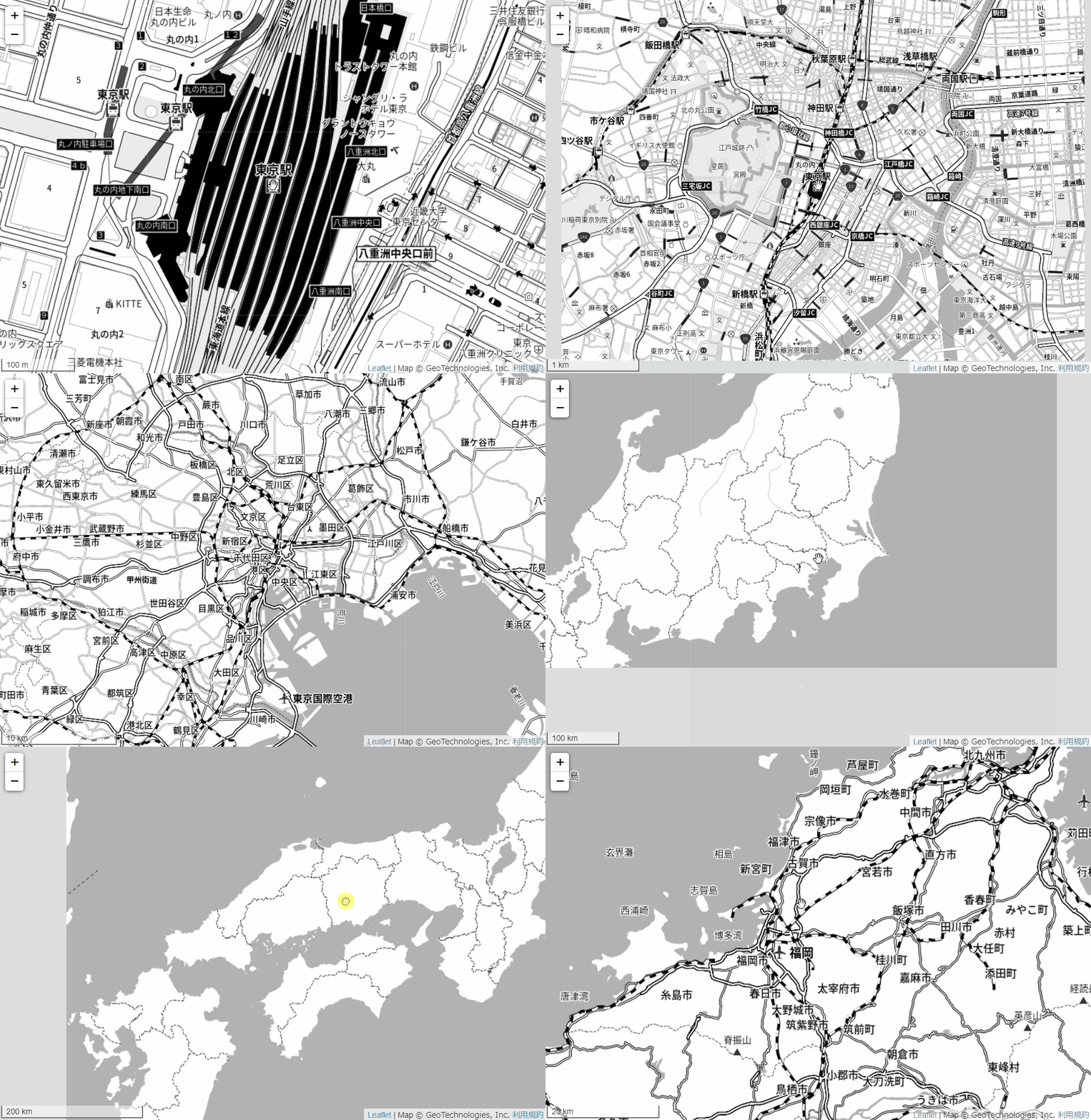
With the implementation up to this point, the screen will look like this.
In addition to the required parameters, the parameter "mapstyle=monochrome_pc (parameter for specifying map design: black and white design for printing × medium note size)" is also specified.
summary
This time, we introduced how to set request headers in the request for the Leaflet tile layer URL and display a MapFan API map via the RapidAPI.
RapidAPI also offers search and routing APIs, and we have a free trial plan available, so we encourage you to consider implementing them.
Download case study materials focusing on MapFan API here >
For details on MapFan API, click here >
Inquiries regarding services for corporate clients
For inquiries, please click here.
Related Services